Transferring to Another Job
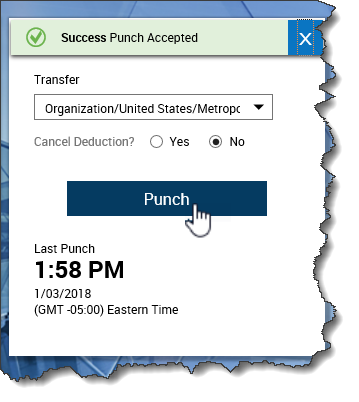
- From the Punch tile on the Home page, click the Transfer drop-down arrow.
- Select the appropriate job from the list.
- If the job to which you want to transfer does not appear in the list, click More.
- From the Business Structure row in the Transfer slider, click Select.
- Use the right-facing arrows to expand the appropriate department.
- Click the job to which you want to transfer.
- Click OK.
- Click Apply.
- Click Punch.
- Click the Main Menu and click Sign Out.