Transferring Part of a Shift to a Different Job
- From the Home page, click the Main Menu icon and select Schedule and choose Current Schedule. If necessary, set the appropriate time period and set of employees.
- Double-click the shift you wish to transfer.
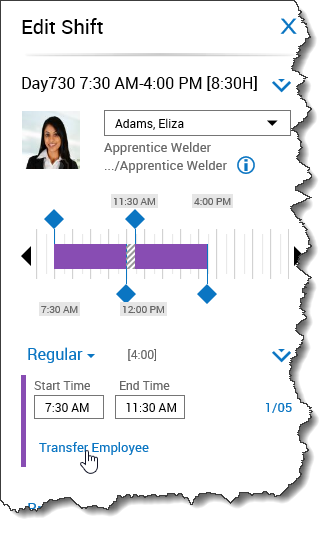
- [Optional] If necessary, click the drop-down arrow next to a segment and choose Add Segment to add a new segment.
- From the Edit Shift slider, click Transfer Employee under the shift segment you wish to transfer.
- In the Business Structure row, click Select.
- Click the right-facing arrow to expand the nodes of the Business Structure.
- Select the job to which you want to transfer the segment, then click OK.
- Click Apply. Notice the transfer displays under the selected segment.
- Click Apply.
- Click Save.
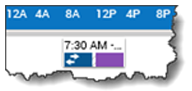
- Note: A shift with a partial transfer appears in the schedule with two colors and a double-arrow.