Handling a Called-Out Shift
- From the Home page, click the Main Menu icon and select Schedule and choose Current Schedule.
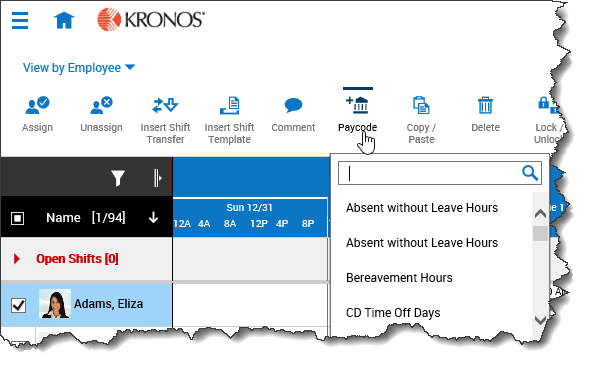
- Click Quick Actions and select Paycode.
- From the drop-down list, select the pay code you want to use to replace the shift.
- Click the shift you want to replace with the selected pay code.
- Click Paycode again to turn this feature off.
- Click Save.