Requesting Time Off
- From the Home page, tap Request Time Off.
- Tap the Request Time Off icon.
- From the calendar, tap the day(s) you want to request then tap Apply.
- Tip: You do not have to select consecutive dates.
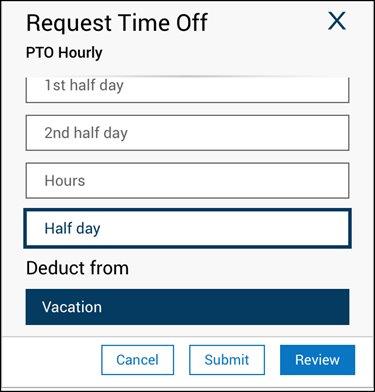
- From the Duration section, select the duration of time off you want to request, for example, Full Day. If you select Hours, enter the start time of the time off in the Start field, and the end time of the time off in the End field.
- In the Deduct from section, select the type of time off you want to request. For example, Vacation or PTO.
- [Optional] Tap Review to review your time off request before submitting your request and add comments if desired.
- Tap Submit.
- To return to the Home page, tap the Home icon.