Transferring Part of a Shift to a Different Job
- Tap the Main Menu icon and, in the Schedule section, tap Current Schedule.
- Tap the shift you want to transfer.
- Tap Edit.
- Under the applicable shift segment, tap Transfer Employee.
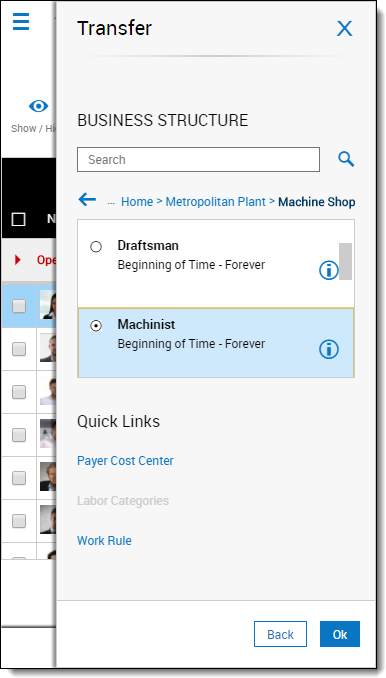
- Under Business Structure, tap Select.
- In the Locations list, expand the list until the applicable job is displayed.
- Tap the option button for the applicable job.
- Tap OK.
- Tap Apply.
- Tap Apply again.
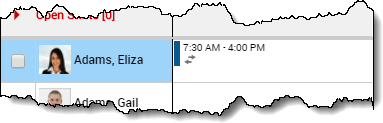
- Note: A shift containing a transfer appears in the schedule with a double-arrow.
- Tap Save.